
Stop Using Gmail for Your Website: A Better Free Alternative with Cloudflare
Still using Gmail for your website? Learn why a custom domain email improves trust and how to set up Cloudflare email routing to forward emails to Gmail for free.


As a business owner, your email address is the first signal customers use to judge your trustworthiness.
Before they buy your product or reply to your messages, they see your email address. And think:
Is this reliable, or just another random website?
You see, custom domain email is so important for any website owner.
Using a professional email like this, shows that:
contact@yourdomain.comYou own a website.
You’ve invested in your brand.
You’re serious about your business.
Now compare that to:
yourname@gmail.comThere is nothing wrong with Gmail; it’s reliable, and most people use it daily. But for a website, when you see it as a real business or service, it often sends the wrong signal.
It’s fine to start with Gmail at first. It’s easy, with no setup and no cost. However, when your site starts to grow, this convenience can start to work against you.
What’s the Difference between Gmail and Domain Email?
At the core level, both Gmail and domain-based email do the same thing: send and receive messages.
In practice, though, they serve different purposes. When someone wants to contact you about a project or is considering your product, your email address shows your expertise and professionalism.
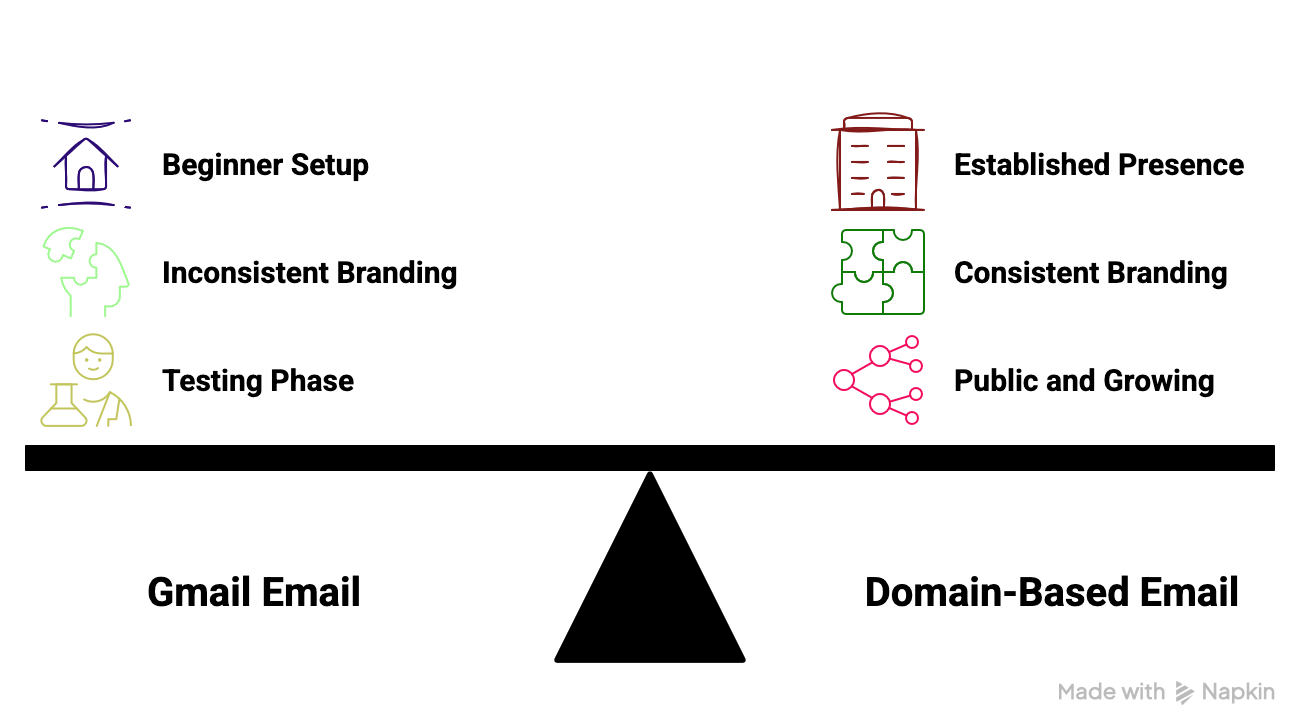
Perception and Trust
A Gmail address often signals:
An individual
A beginner setup
Something temporary
A domain-based email suggests:
An established presence
Ownership and control
A long-term outlook
Branding and Consistency
Your website has a name.
Your content has a voice.
Your brand has an identity.
With Gmail, that consistency breaks.
With a custom domain email:
Your email matches your website
Everything feels connected
This is a real deal if you write about technical topics like:
Development
Cybersecurity
Data science
Finance
When Gmail Is Acceptable
Gmail is fine when:
You’re in a testing phase
You’re just starting your website
You don’t have any business communication yet
When Gmail Becomes a Limitation
Gmail starts to hold you back when:
Your site is public and growing
People want to contact with you
You want to look credible
At this point, using Gmail is not our option anymore.
There are many ways to use your own domain for email. There is a way that you don’t need to pay or complicate things.
One of the easiest is cloudflare email routing. It lets you create a custom domain email address while still using Gmail behind the scenes.
Types of Business Email Solutions
There are three ways to set up a custom domain email, depending on your situation.
1) Free Domain-Based Email
This is where Cloudflare email routing comes in.
Example setup:
contact@yourdomain.com → forwarded to your GmailPros
Free
Professional appearance
Simple DNS-based setup
Cons
Receive-only by default
Need extra configuration to send from your own domain
Not a full hosting solution
It’s a smart bridge between Gmail and fully paid email solutions.
2) Paid Email Providers
There are well-known providers that offer full email hosting, including inbox management, sending, and collaboration features. Services like Google Workspace and Zoho are popular options.
contact@yourdomain.com # Without forwardingPros
A professional setup
Send and receive emails from your own domain
Complete deliverability and reliability
Cons
Monthly cost (though not very high)
Overkill for low-traffic websites
Require initial setup and ongoing management
You’re paying for convenience and peace of mind.
3) Free Gmail
The simplest and fastest setup but with limitations.
yourname@gmail.comPros
No configuration
Completely free
Cons
Weak branding
Lower trust recognition
How to Set Up Domain Email for Free
By using Cloudflare Email Routing, you can create a custom domain email address and connect it to Gmail in just a few steps.
Here’s the process:
1) Add Your Domain to Cloudflare
First you should add your domain to Cloudflare:
Add your domain
Update your nameservers
Wait until DNS becomes active
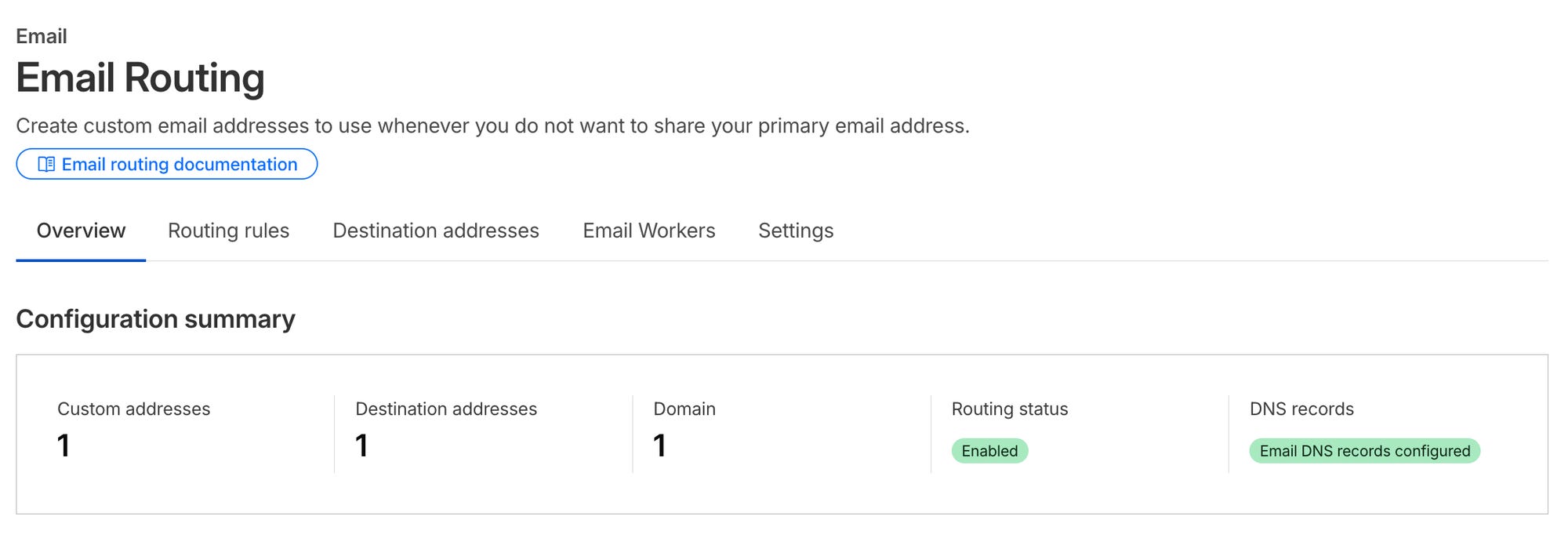
2) Enable Email Routing
In your Cloudflare dashboard:
Go to Email -> Email Routing
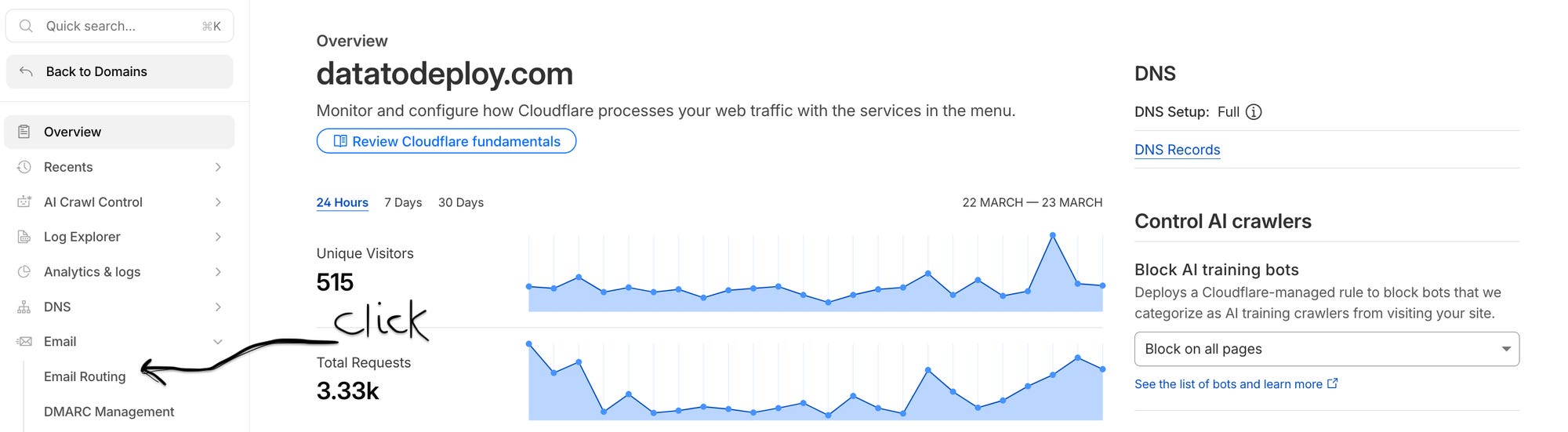
Click Get started
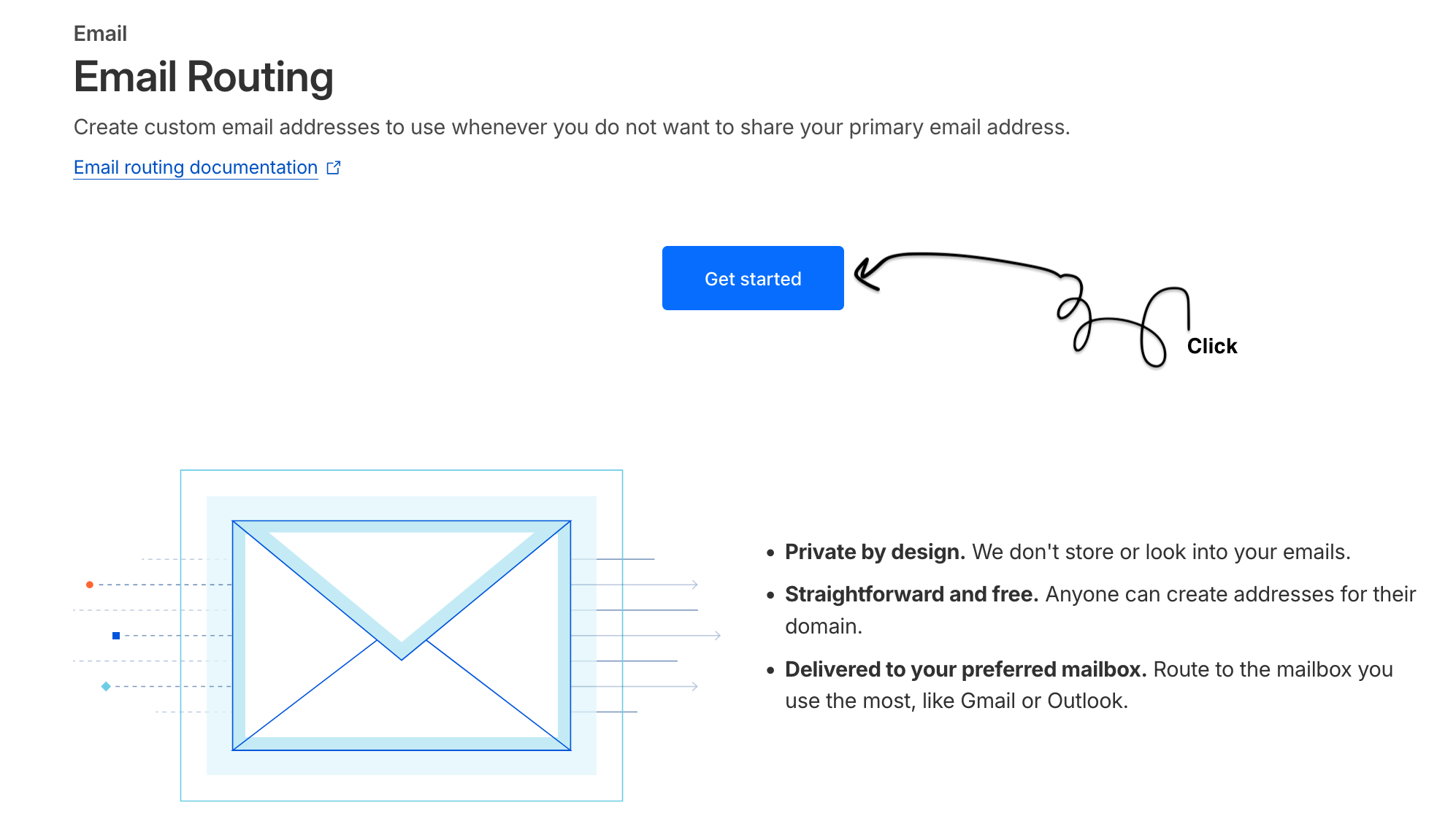
Cloudflare automatically generates the required DNS records and guides you through the configuration process.
3) Create Your Custom Email Address
Now write your publicly available email:
contact@yourdomain.comThis becomes your custom domain email, the one you use to display on your website.
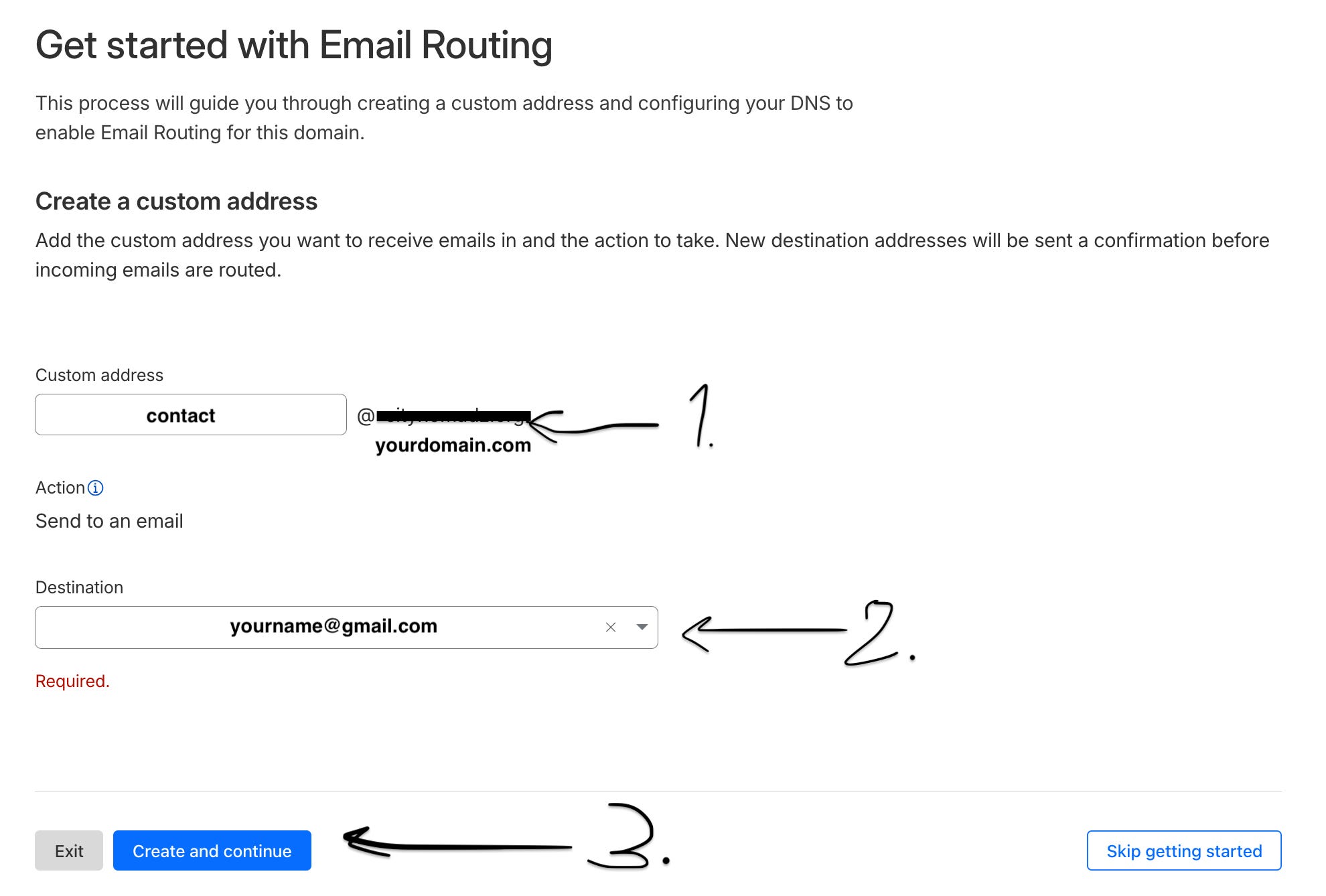
4) Forward Emails to Gmail
Choose where your received emails forward to:
contact@yourdomain.com → yourname@gmail.comThat’s how you use Gmail for custom domain forwarding. You’re still using Gmail as your inbox, while others see a professional domain email.
5) Verify and Test
Lastly, you should be the first one to use it:
Send a test email from another account.
Confirm that it arrives in your Gmail inbox.
Check the spam folder (the first email may end up there).
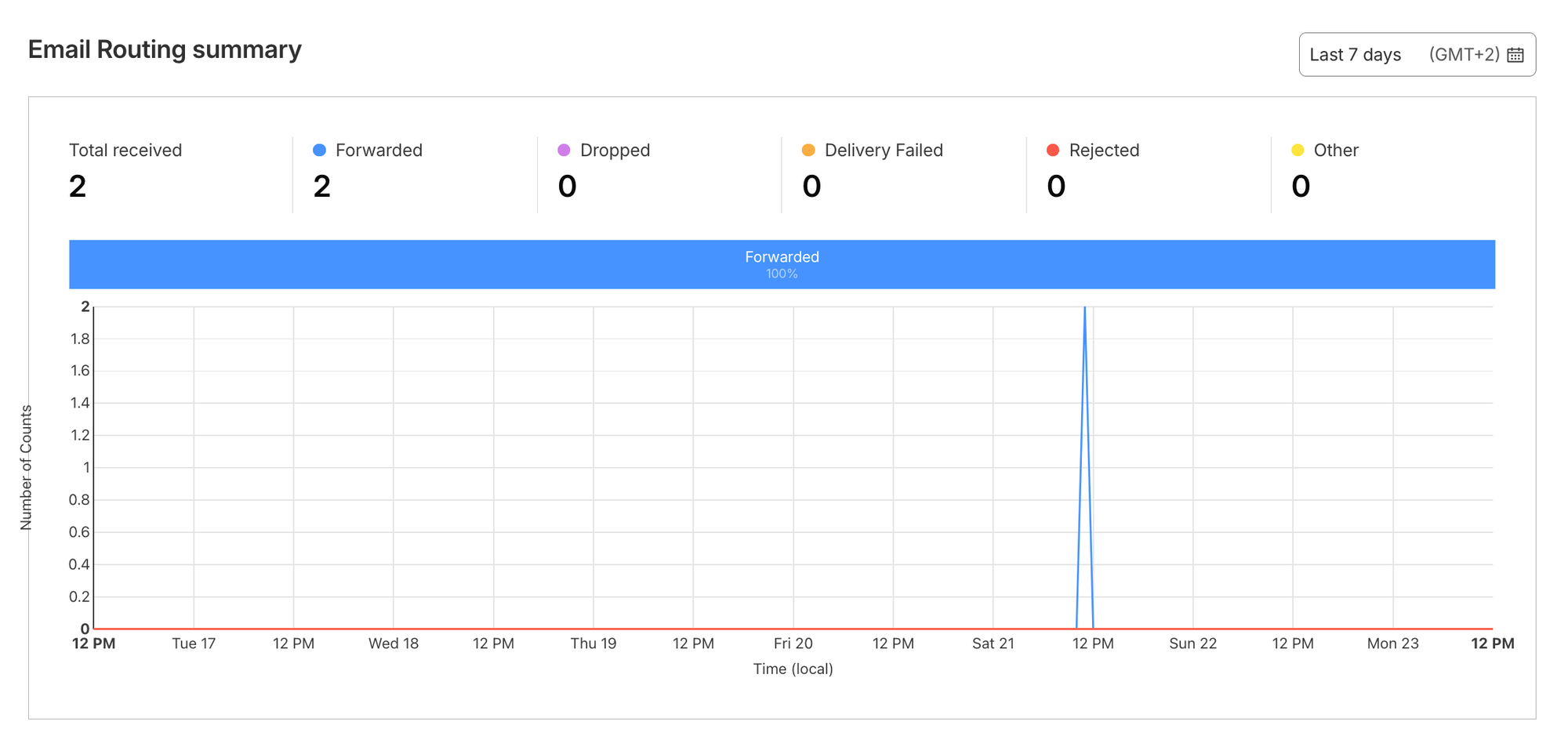
It you get the email, your setup is complete.
Limitations and When You Should Upgrade
Cloudflare Email Routing is a good starting point, but it has its own limitation you should be aware of.
1) You Can’t Send from Your Domain
You will receive emails at:
contact@yourdomain.comBut replies are sent from:
yourname@gmail.comThis is fine for the beginning, but not ideal long term.
2) It’s Not a Full Email System
Cloudflare routing is:
Forwarding only
Not an inbox
Not a collaboration tool
Move to the full version after:
You build a large audience.
You want to reply using your own domain.
Email becomes a core part of your workflow.
Start simple. Keep the costs zero. Then upgrade only when needed. This way, you stay efficient without limiting growth.
Conclusion
A custom domain email is a small change that improves trust, make your brand stronger, and aligns your communication with your identity.
With Cloudflare Email Routing, you can hide your Gmail address from public view while keeping the simplicity of your current workflow.
FAQ
1) Can I send emails from my custom domain using Cloudflare?
Not by default. Cloudflare Email Routing is designed for receiving emails. To send emails from your domain, you’ll need an SMTP service or a full email provider like Zoho or Google Workspace.
2) Is it professional to use Gmail with a custom domain email?
Yes, it’s completely fine. The key is what your audience sees. With a custom domain email, you improve your credibility.